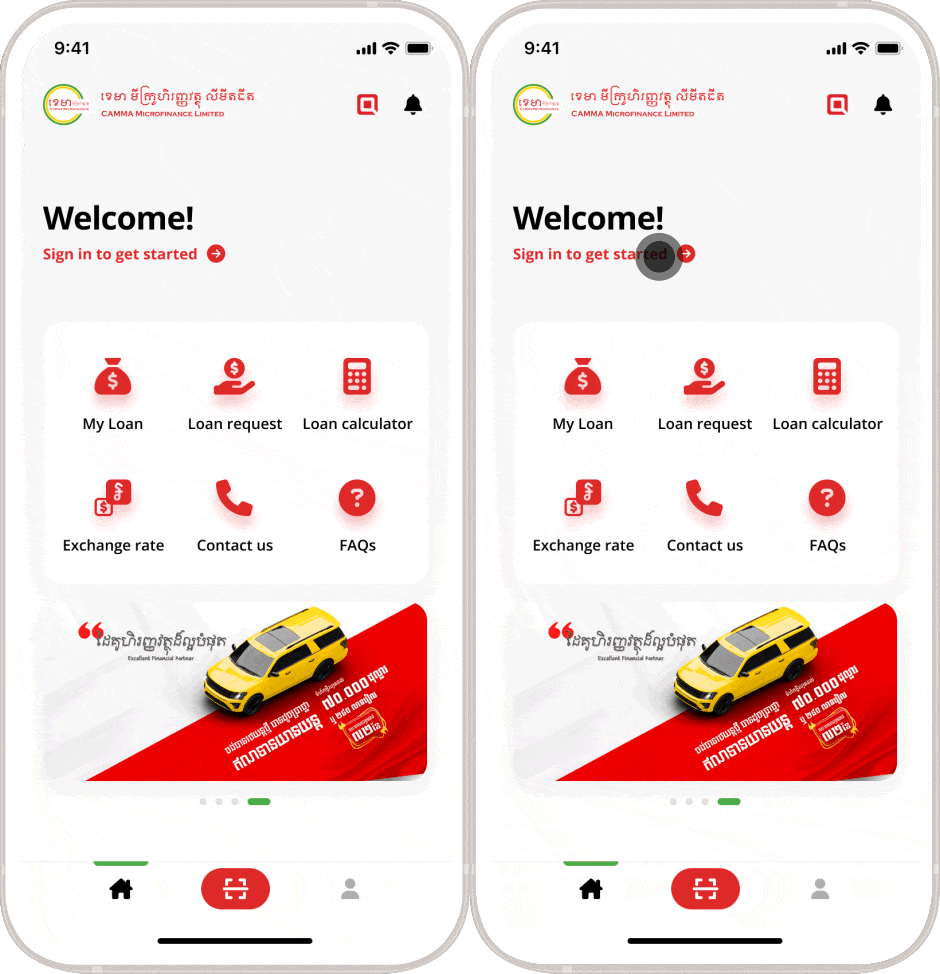
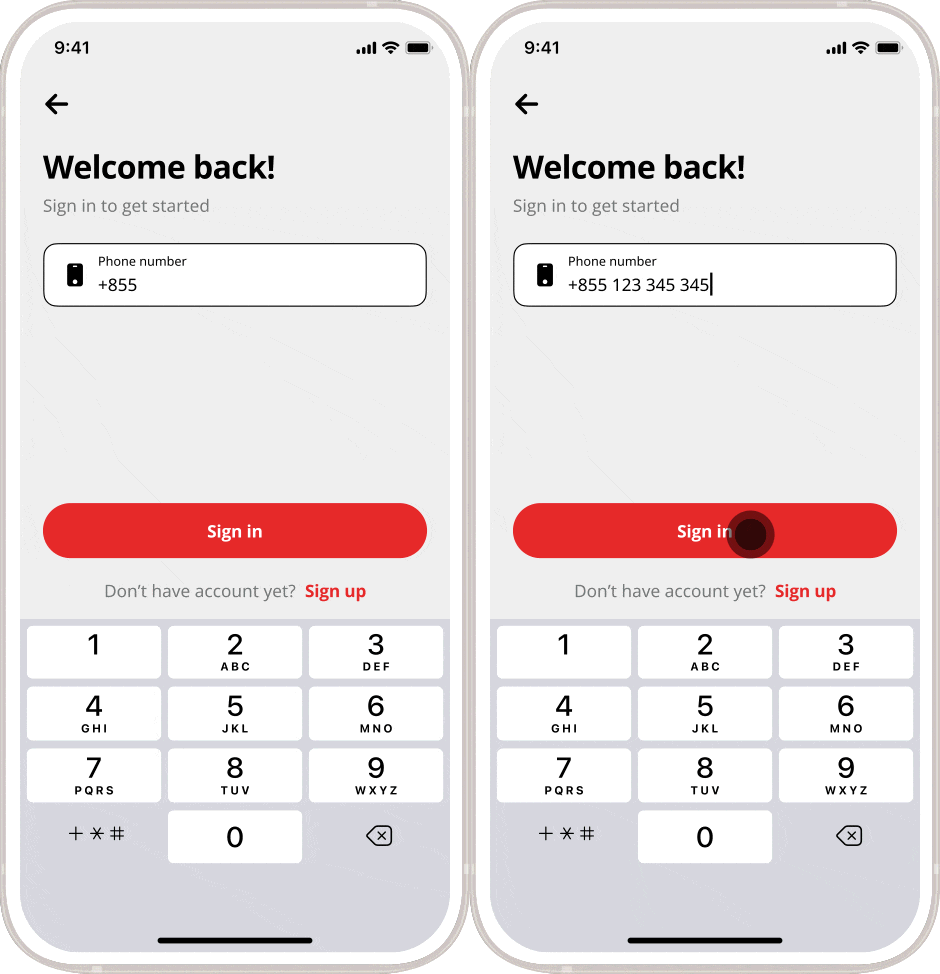
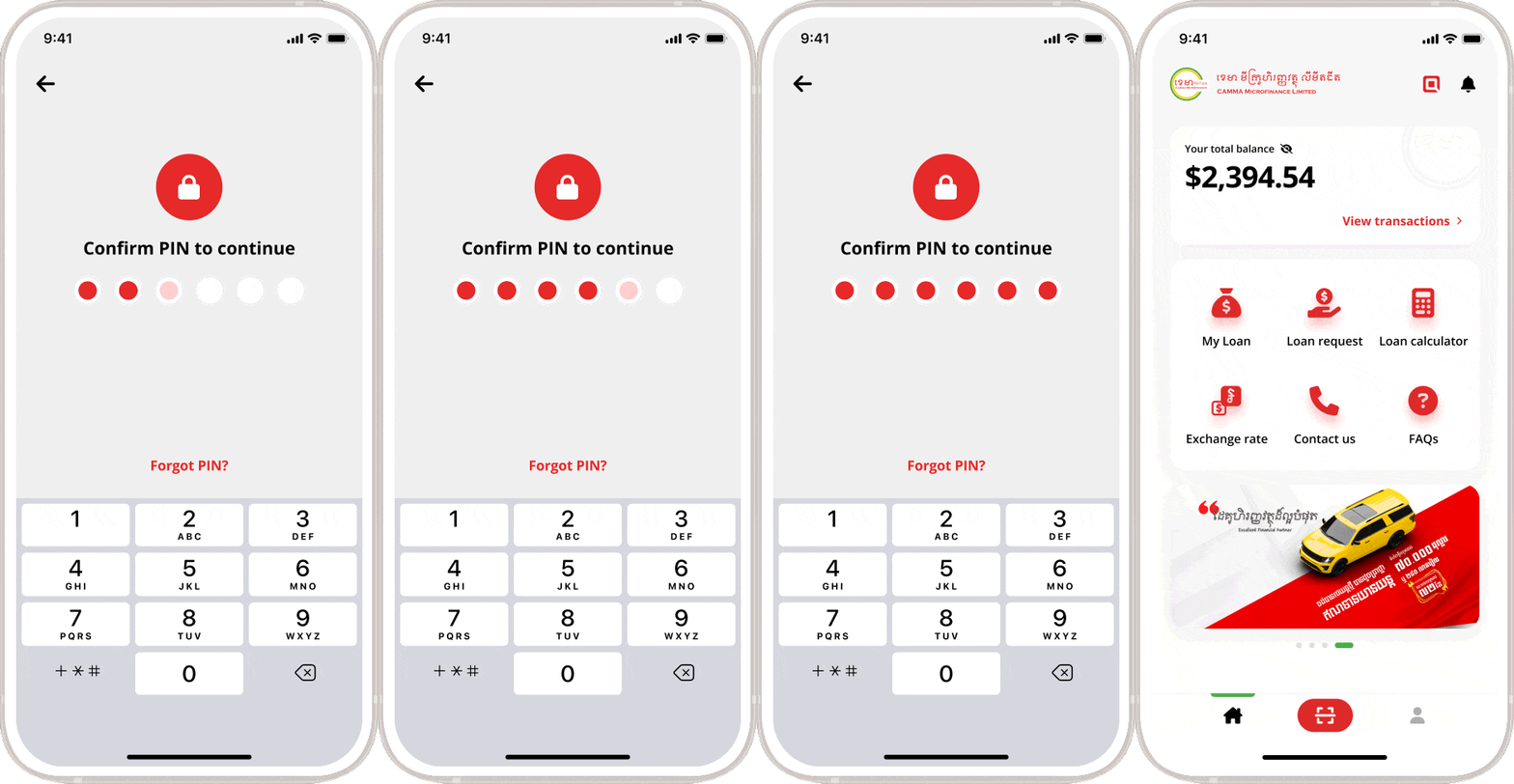
Home > Mobile > How to sign in in CAMMA Mobile How to sign in on CAMMA Mobile Instructions Launch CAMMA Mobile app Click on “Sign in to get started” Enter your phone number and click “Continue” Enter the PIN. Please do not share your PIN/OTP to someone! CAMMA staff will never call you asking for PIN/OTP or doing any transactions. Frequently Asked Questions (FAQs) How to sign up or sign in? It is very simple. If you have already signed up for CAMMA Mobile, then no need to sign up again. If you haven’t sign up with CAMMA Mobile, just click “sign up”. I haven’t received any messages. You will receive the messages within 2 minutes. If you still haven’t received the messages, please contact our customer service. Can I create two accounts? Unfortunately, one customer can have only one account. I changed my phone number or new device. You still can access the app by logging into your account in the new device. Can I change my phone number? Yes, you may change your phone number by entering your new phone number and verify the one-time password (OTP). Can I use the phone number of another person to request a loan? No, you cannot. CAMMA Mobile User Guide Overview Sign up Sign in Upgrade Account Change PIN View Wallet Transactions Unsecured Loan Request Loan Calculation General Loan Request Loan Disbursement Loan Repayment Create KHQR Payment via KHQR More Information Customer Service Hotlines 017 907 555 098 907 555 Contact Us Complaint Hotlines 089 666 018 081 855 222 Complaint Form Apply for Loan Looking to buy a car, a house or expand your business? Apply Now!