Home > Mobile > How to receive loan on CAMMA Mobile
How to receive loan on CAMMA Mobile
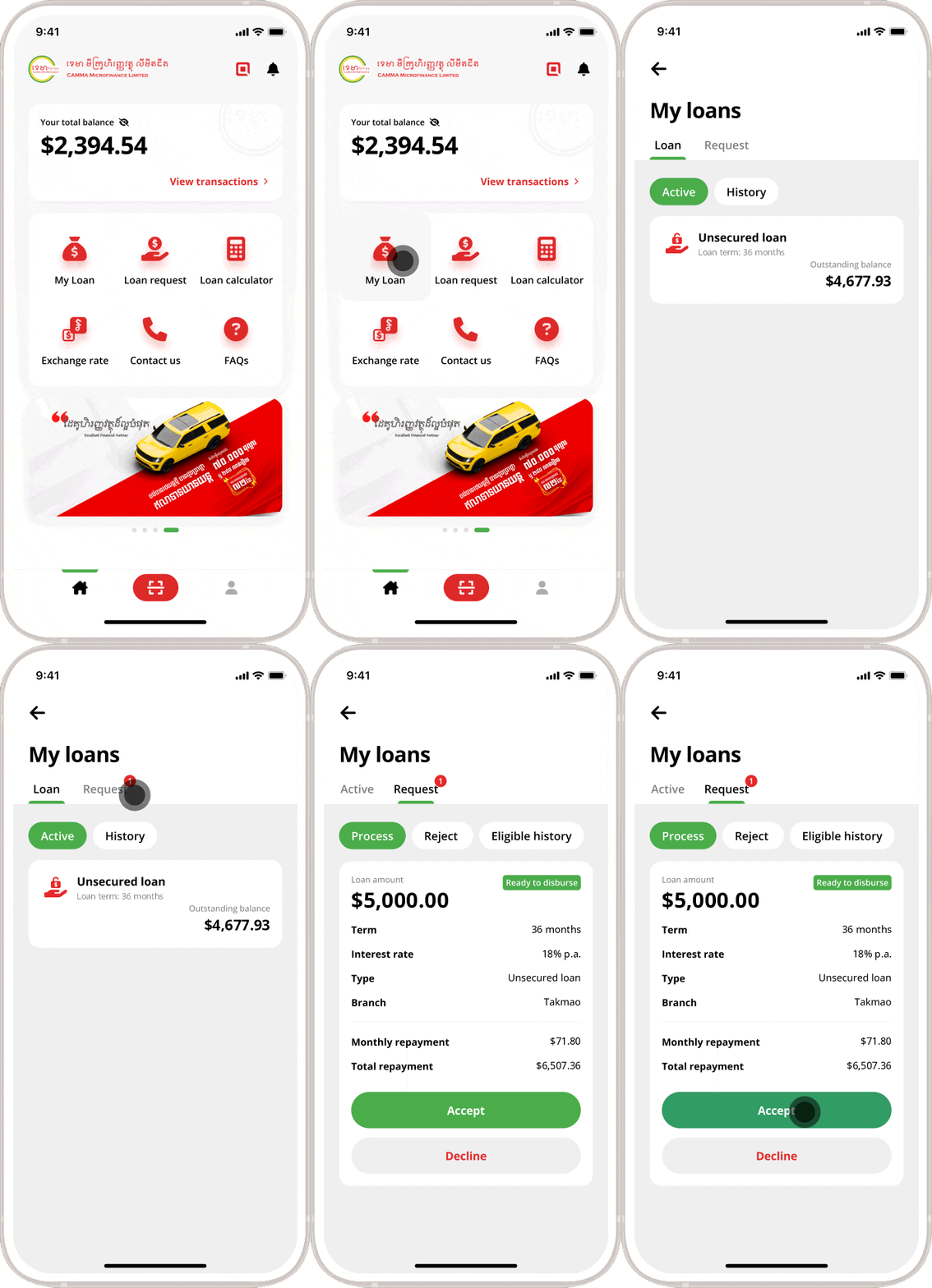
Go to “My Loan” on CAMMA Mobile app. Tap “Request” and tap on “Accept” button to accept the loan. Next, select a disbursement method and follow the instructions below:
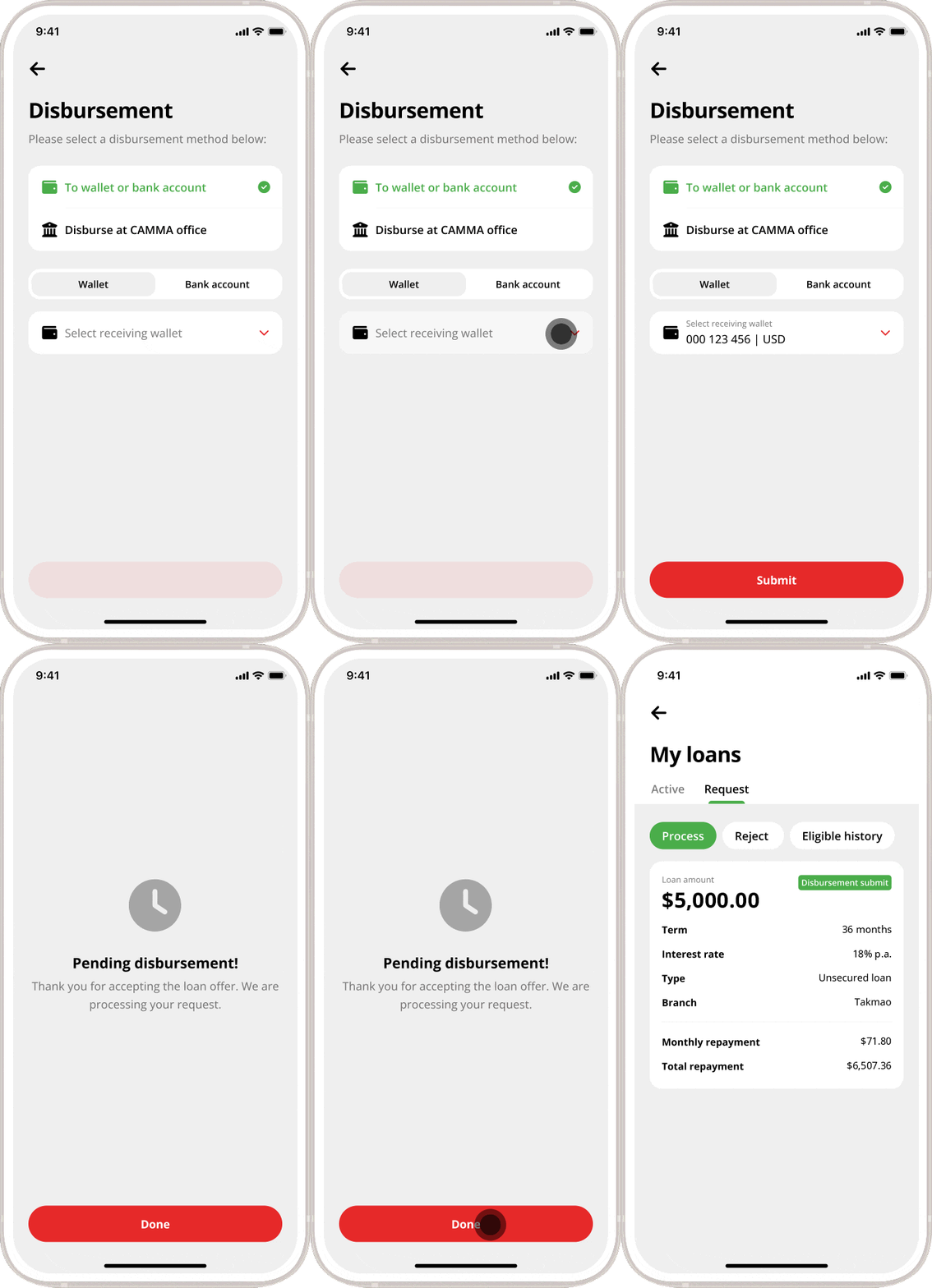
Disbursement to wallet or bank account
Select receiving wallet
Tap on “Submit” button
Tap “Done” to submit your disbursement request.
The loan will be disbursed to the specified account in due course.
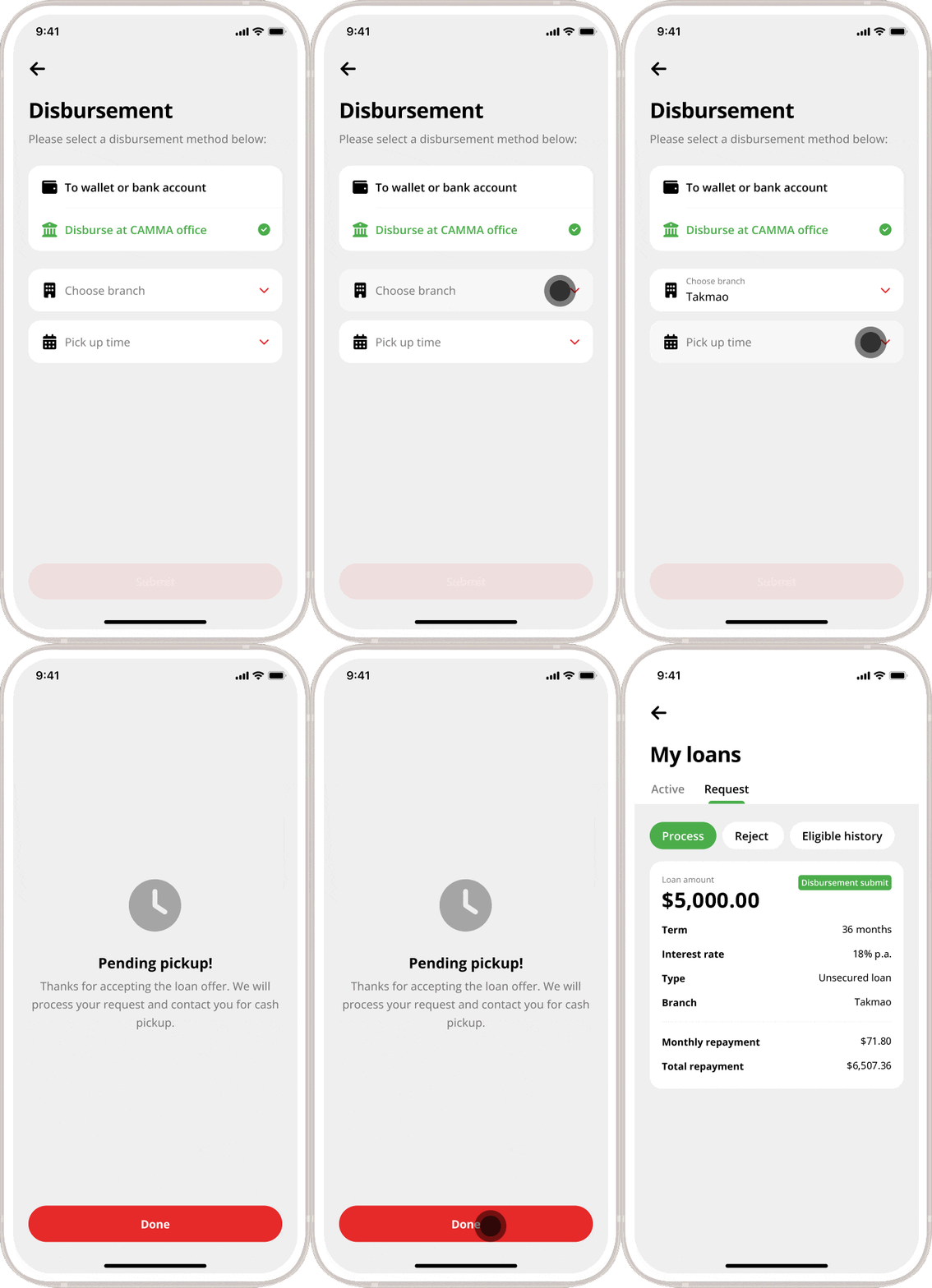
Disburse at CAMMA office
Choose branch
Choose pick up time
Tap “Done” and wait for CAMMA to contact you for cash pickup.