Home > Mobile > How to receive loan on CAMMA Mobile

How to receive loan on CAMMA Mobile

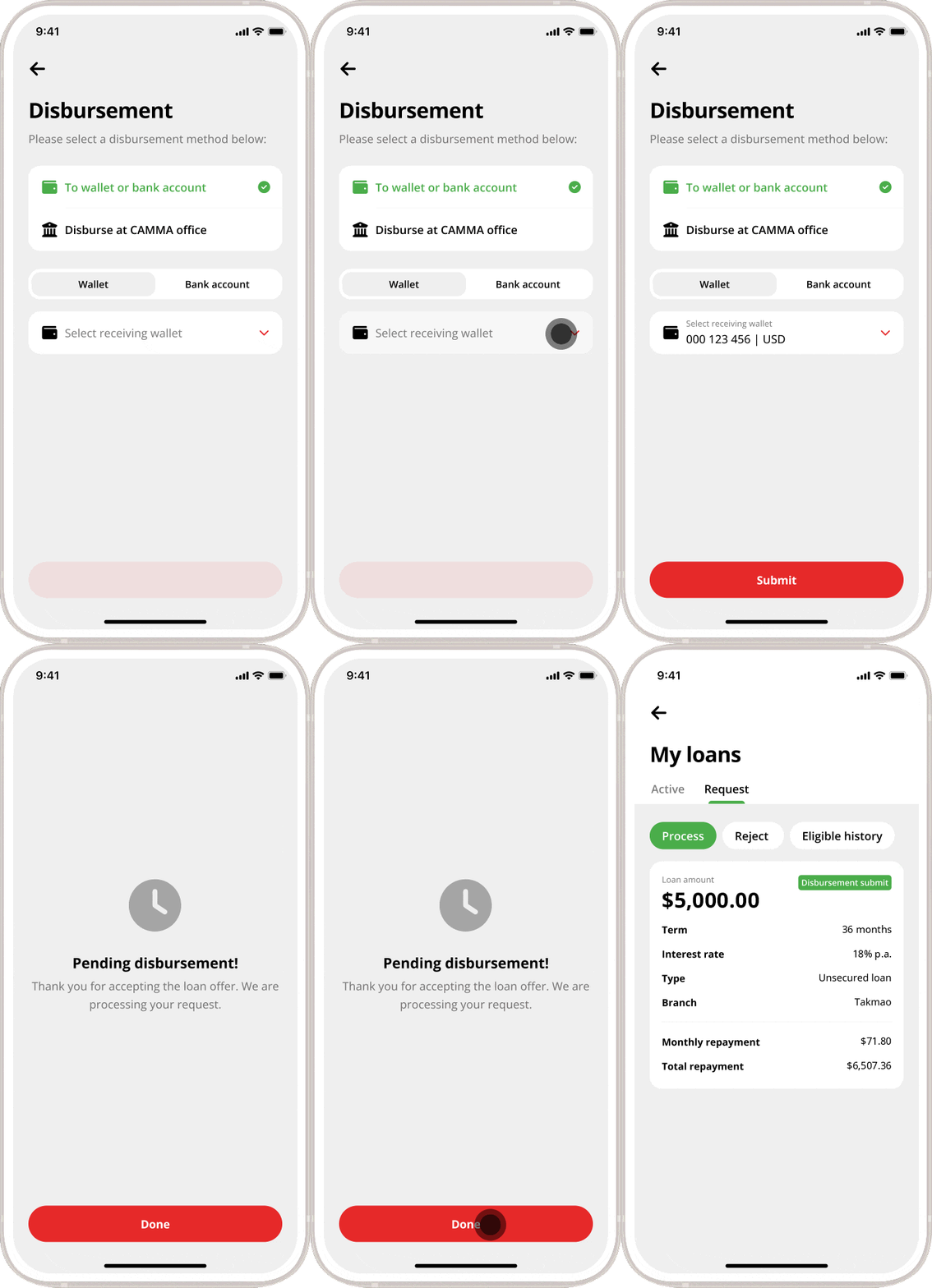
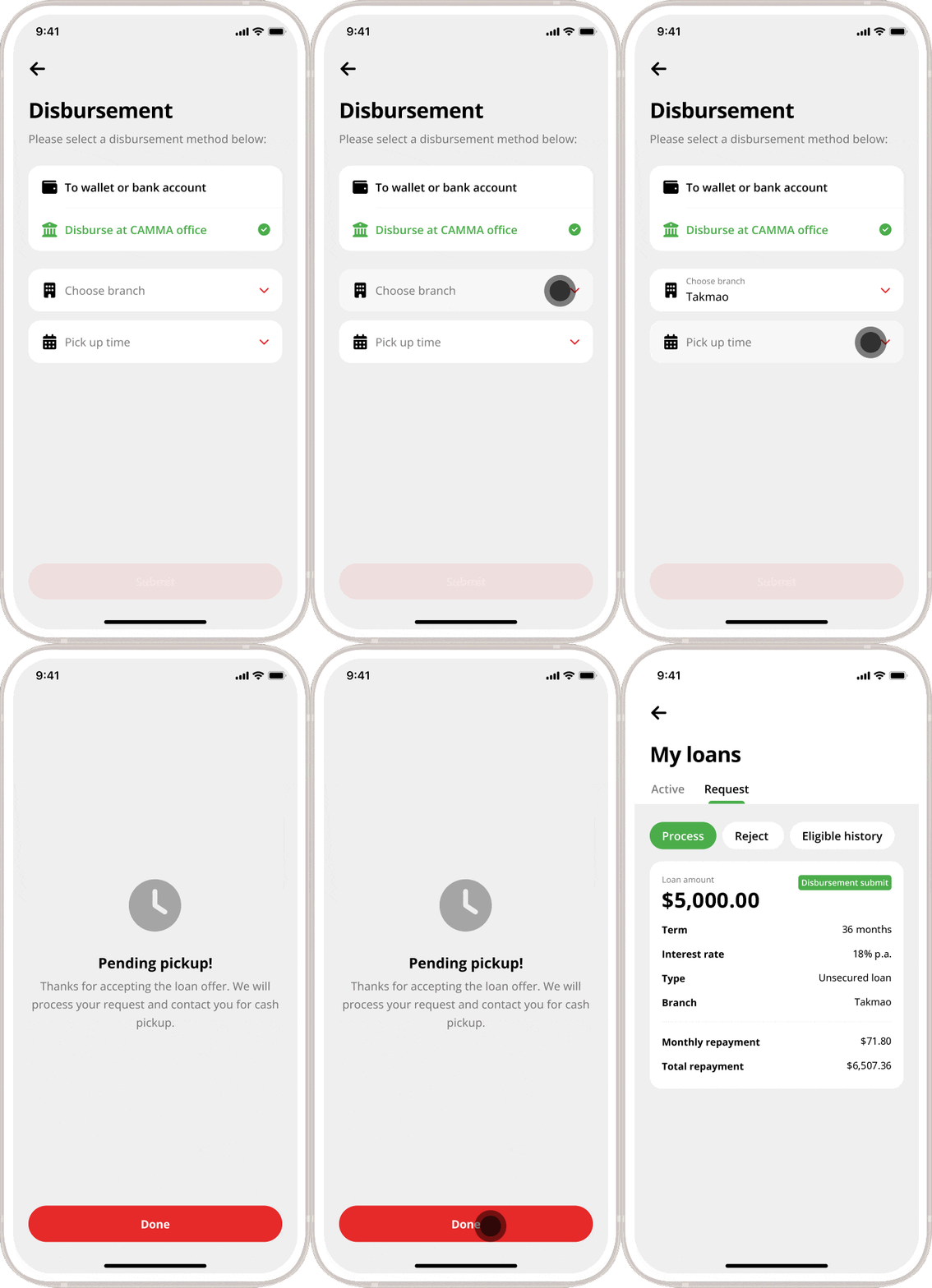
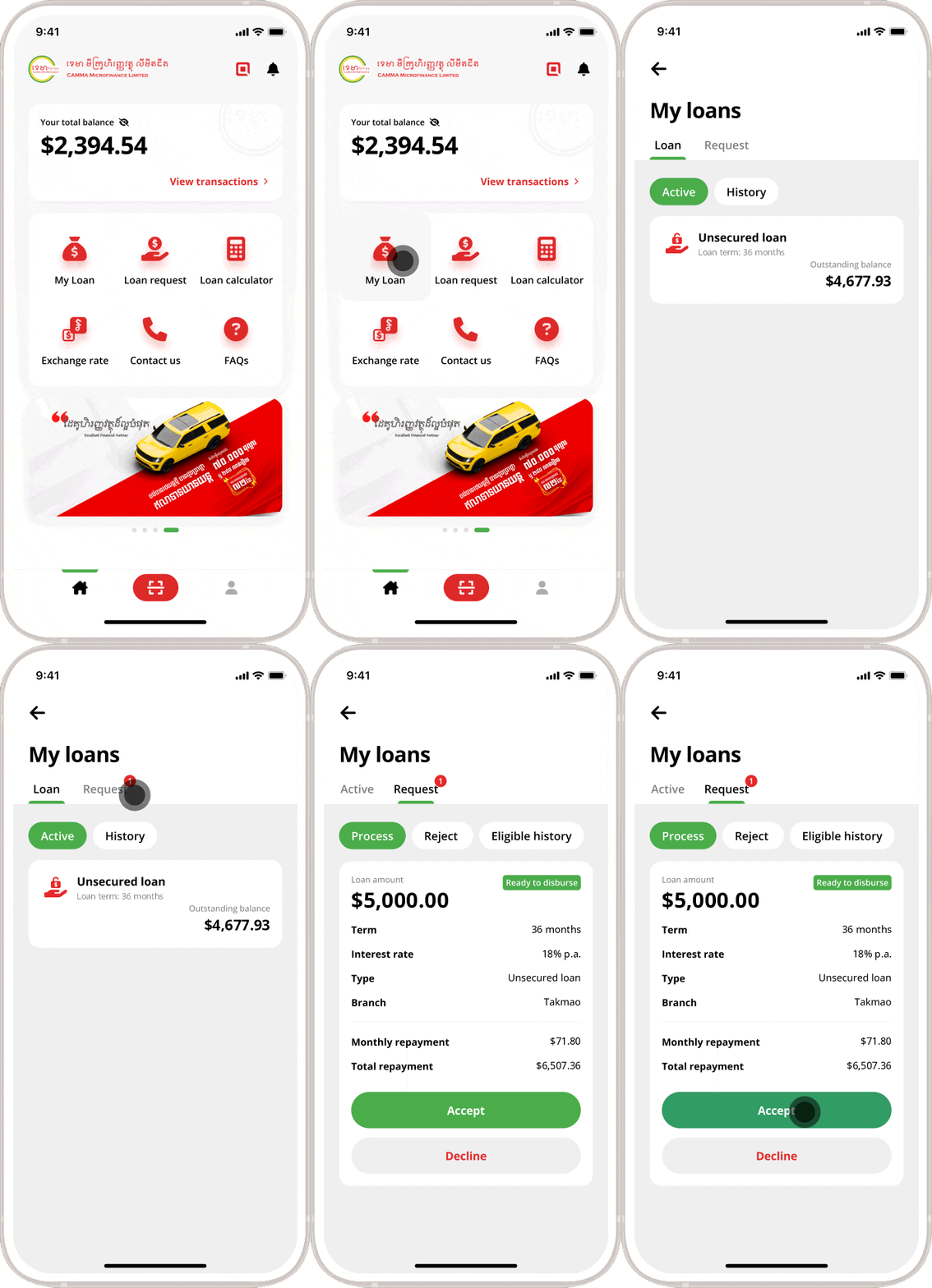
Go to “My Loan” on CAMMA Mobile app. Tap “Request” and tap on “Accept” button to accept the loan. Next, select a disbursement method and follow the instructions below:

Disbursement to wallet or bank account

  • Select receiving wallet
  • Tap on “Submit” button
  • Tap “Done” to submit your disbursement request.
  • The loan will be disbursed to the specified account in due course.

Disburse at CAMMA office

  • Choose branch
  • Choose pick up time
  • Tap “Done” and wait for CAMMA to contact you for cash pickup.
Frequently Asked Questions (FAQs)

It may take around 2 to 3 business days.

Sincerely apology for the delay. Please contact our customer service in case you wait more than 3 days.

After your loan application has been approved by CAMMA, Customers can choose in the following methods:

  • Cash disbursement at CAMMA’s office.
  • Transfer to the customer’s bank account
  • Through CAMMA partner agents throughout the nationwide.

Yes, you can.​ Our staff will contact you very soon.

More Information

Customer Service Hotlines

017 907 555
098 907 555

Looking to buy a car, a house or expand your business?