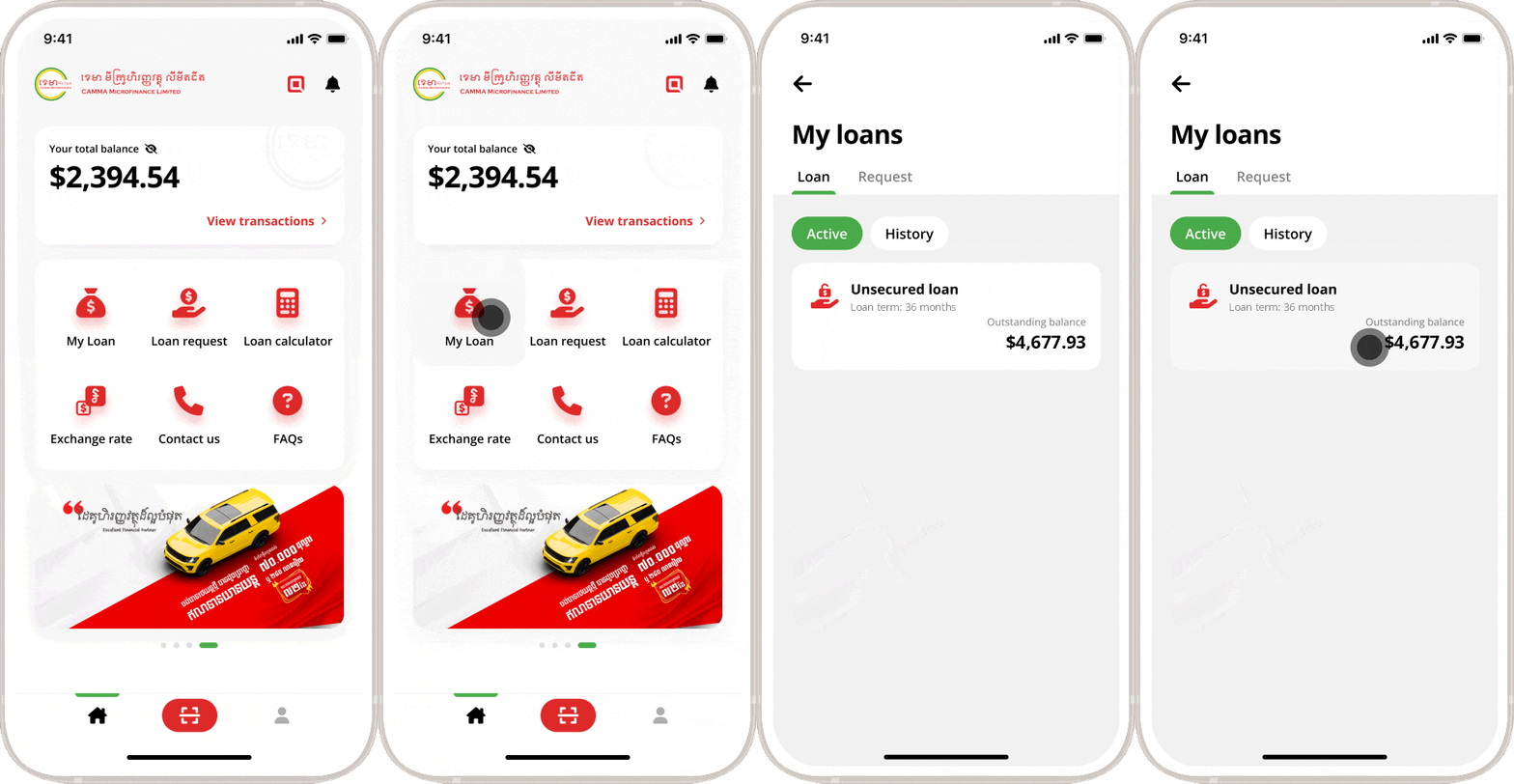
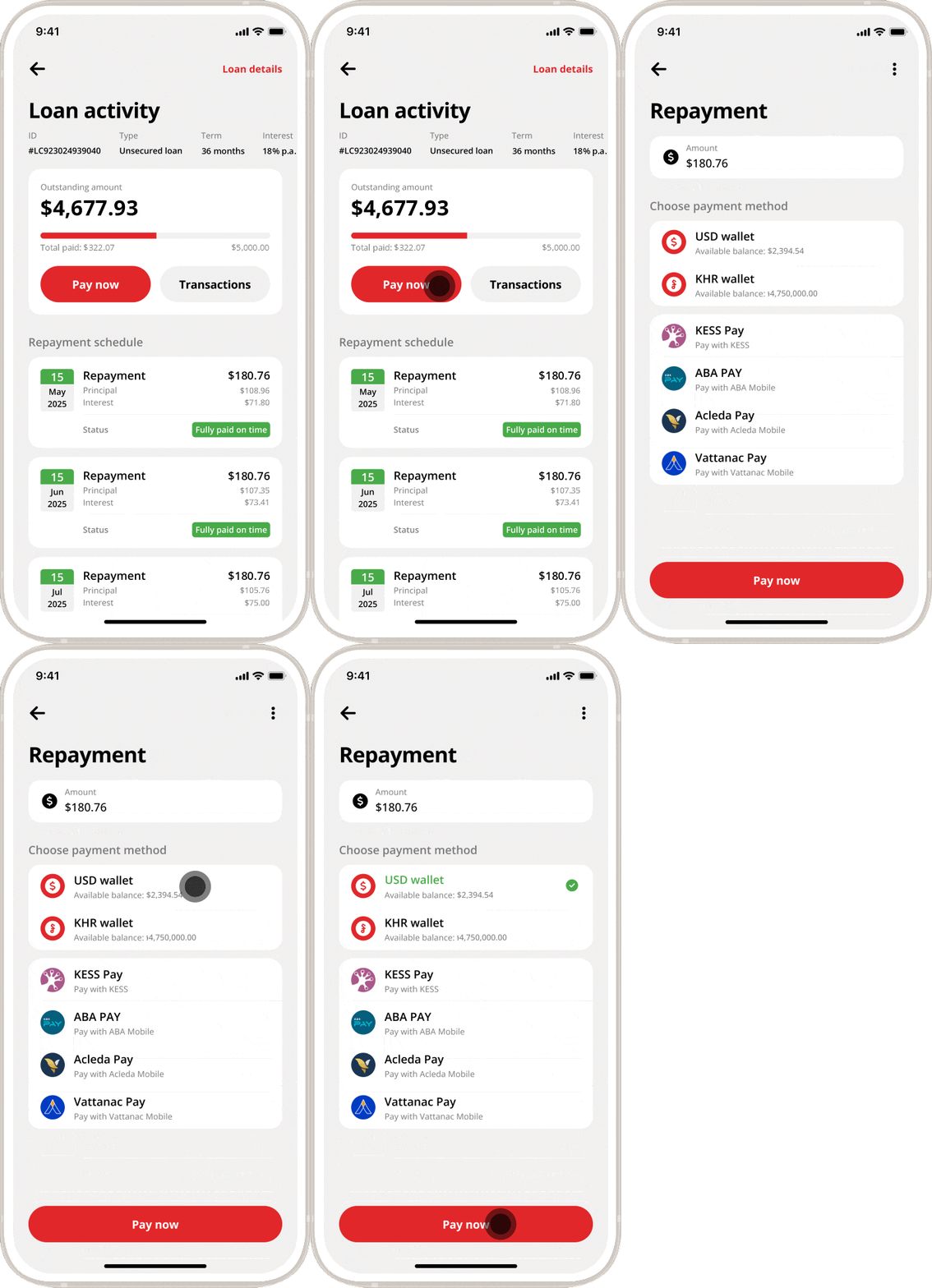
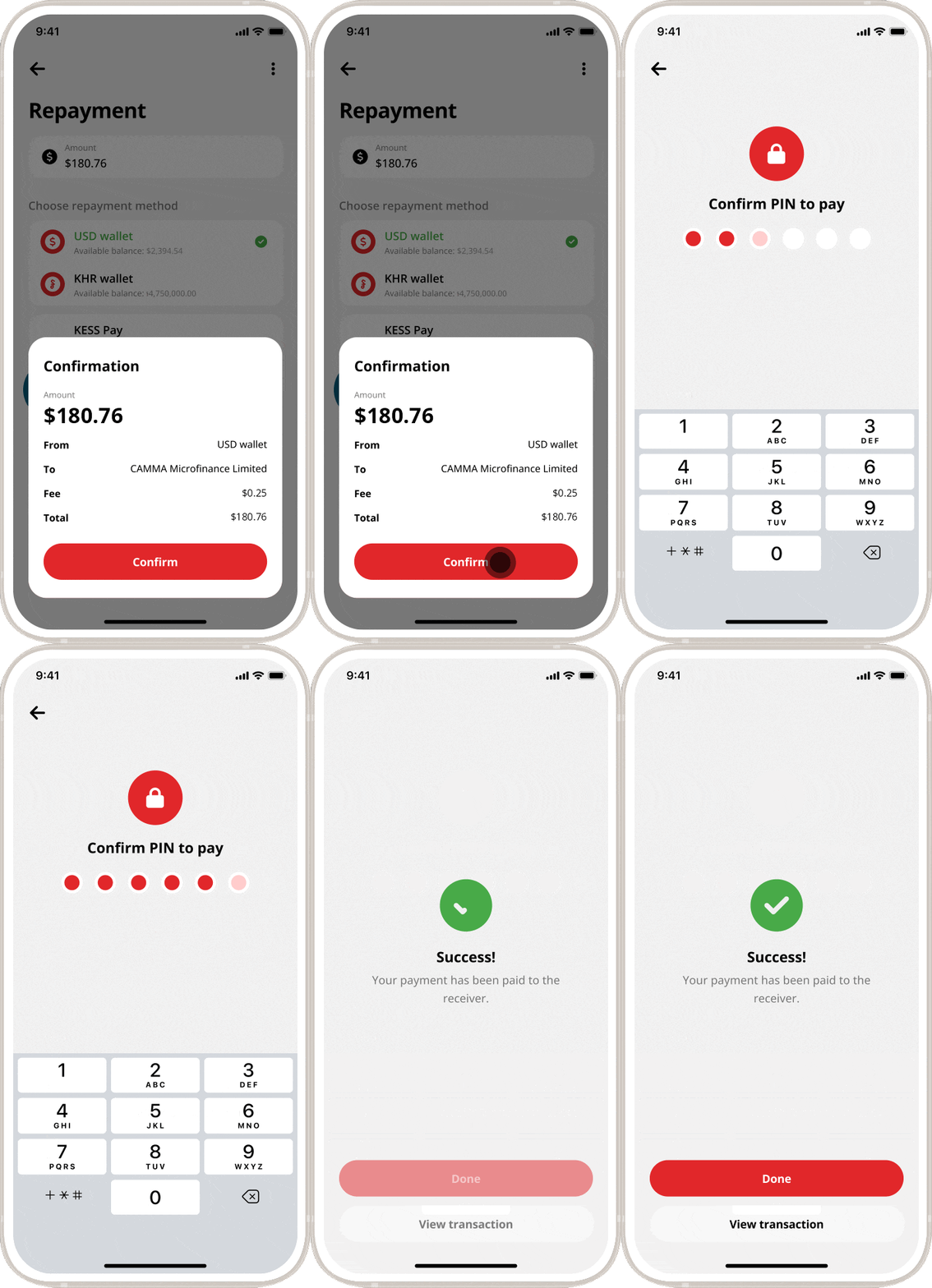
Home > Mobile > How to make loan repayment CAMMA Mobile How to make loan repayment CAMMA Mobile Instructions Launch CAMMA Mobile app Tap on “My Loan” button Tap “Pay now” Choose a payment method Tap “Pay now” Tap “Confirm”. Enter your PIN Tape “Done”. Please do not share your PIN/OTP to someone! CAMMA staff will never call you asking for PIN/OTP or doing any transactions. Frequently Asked Questions (FAQs) Other than making the payment at the office, are there any other payment methods? CAMMA clients may make payments via: Your nearest CAMMA Branch ACLEDA Mobile and ACLEDA Internet Banking Wing, AMK, and TrueMoney agents or mobile app. Can my friend, relative or parent make loan repayment on my behalf? Yes, they can. I’ve paid the loan but the status in my account is still outstanding? The loan status will be changed after your repayment has been transferred successfully. What happens if I repay over the outstanding amount? No worries! You can withdraw specific amount through our convenience app. What happens if I repay less than the outstanding amount? Our app will show you the installment amount that you need to repay back, please follow our instructions. CAMMA Mobile User Guide Overview Sign up Sign in Upgrade Account Change PIN View Wallet Transactions Unsecured Loan Request Loan Calculation General Loan Request Loan Disbursement Loan Repayment Create KHQR Payment via KHQR More Information Customer Service Hotlines 017 907 555 098 907 555 Contact Us Complaint Hotlines 089 666 018 081 855 222 Complaint Form Apply for Loan Looking to buy a car, a house or expand your business? Apply Now!