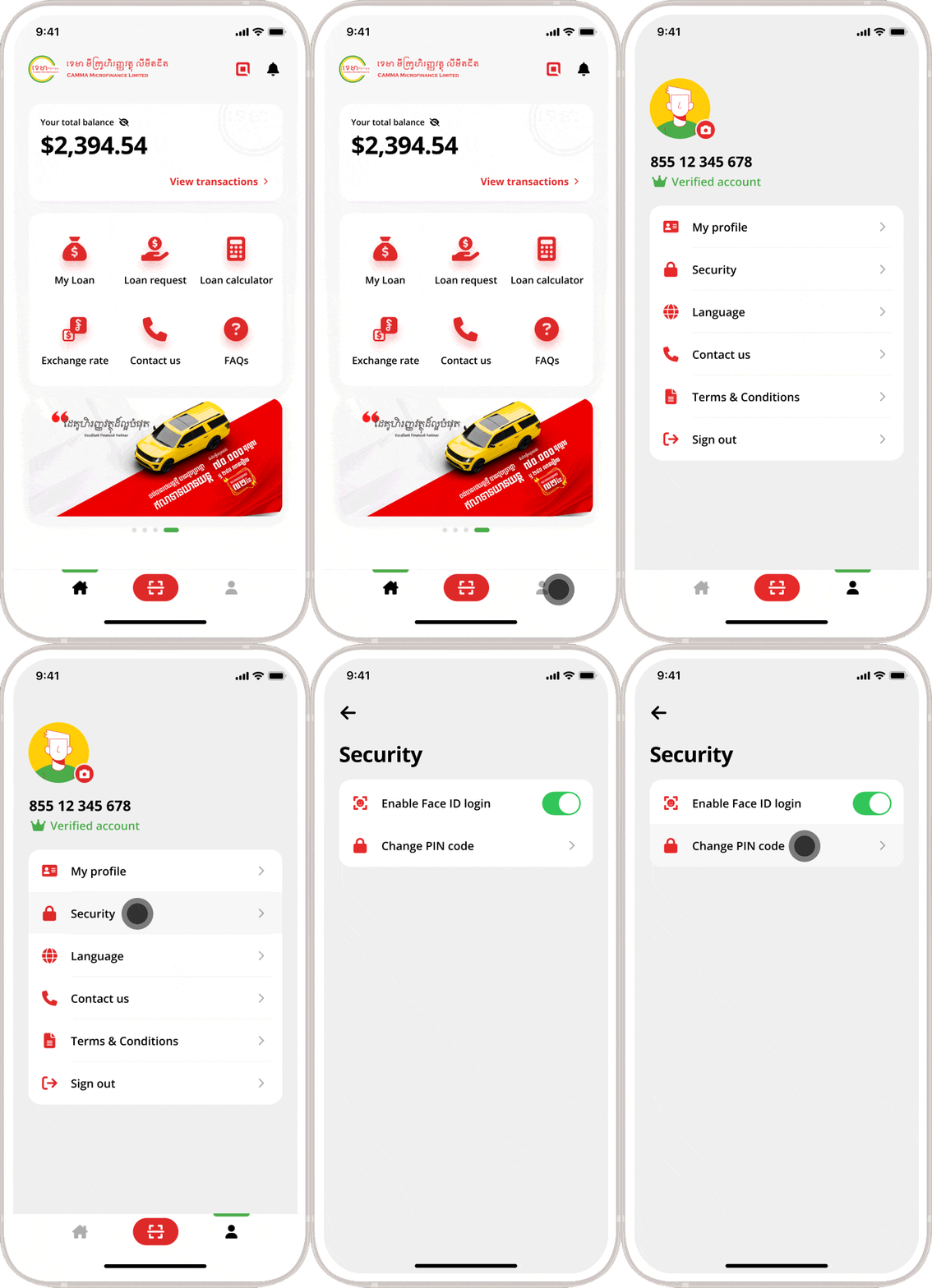
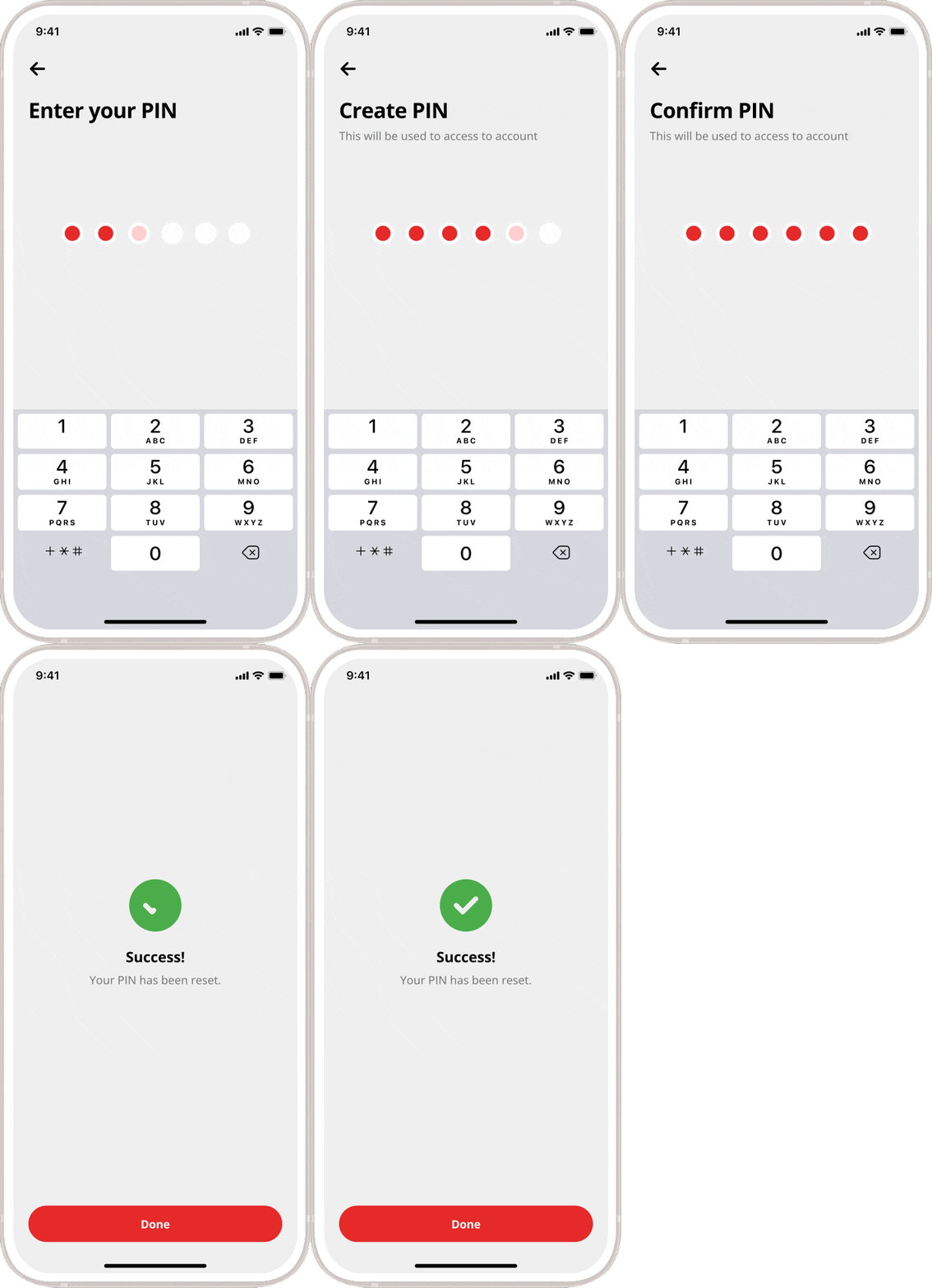
Home > Mobile > How to change PIN on CAMMA Mobile How to change PIN on CAMMA Mobile Instructions Launch CAMMA Mobile app Tap “Profile” icon Tap on “Security” Tap on “Change PIN code” Enter your existing PIN Create a new PIN and confirm the new PIN Tap “Done”. Please do not share your PIN/OTP to someone! CAMMA staff will never call you asking for PIN/OTP or doing any transactions. CAMMA Mobile User Guide Overview Sign up Sign in Upgrade Account Change PIN View Wallet Transactions Unsecured Loan Request Loan Calculation General Loan Request Loan Disbursement Loan Repayment Create KHQR Payment via KHQR More Information Customer Service Hotlines 017 907 555 098 907 555 Contact Us Complaint Hotlines 089 666 018 081 855 222 Complaint Form Apply for Loan Looking to buy a car, a house or expand your business? Apply Now!