Home > Mobile > How to create KHQR and receive payment
How to create KHQR and receive payment
Instructions
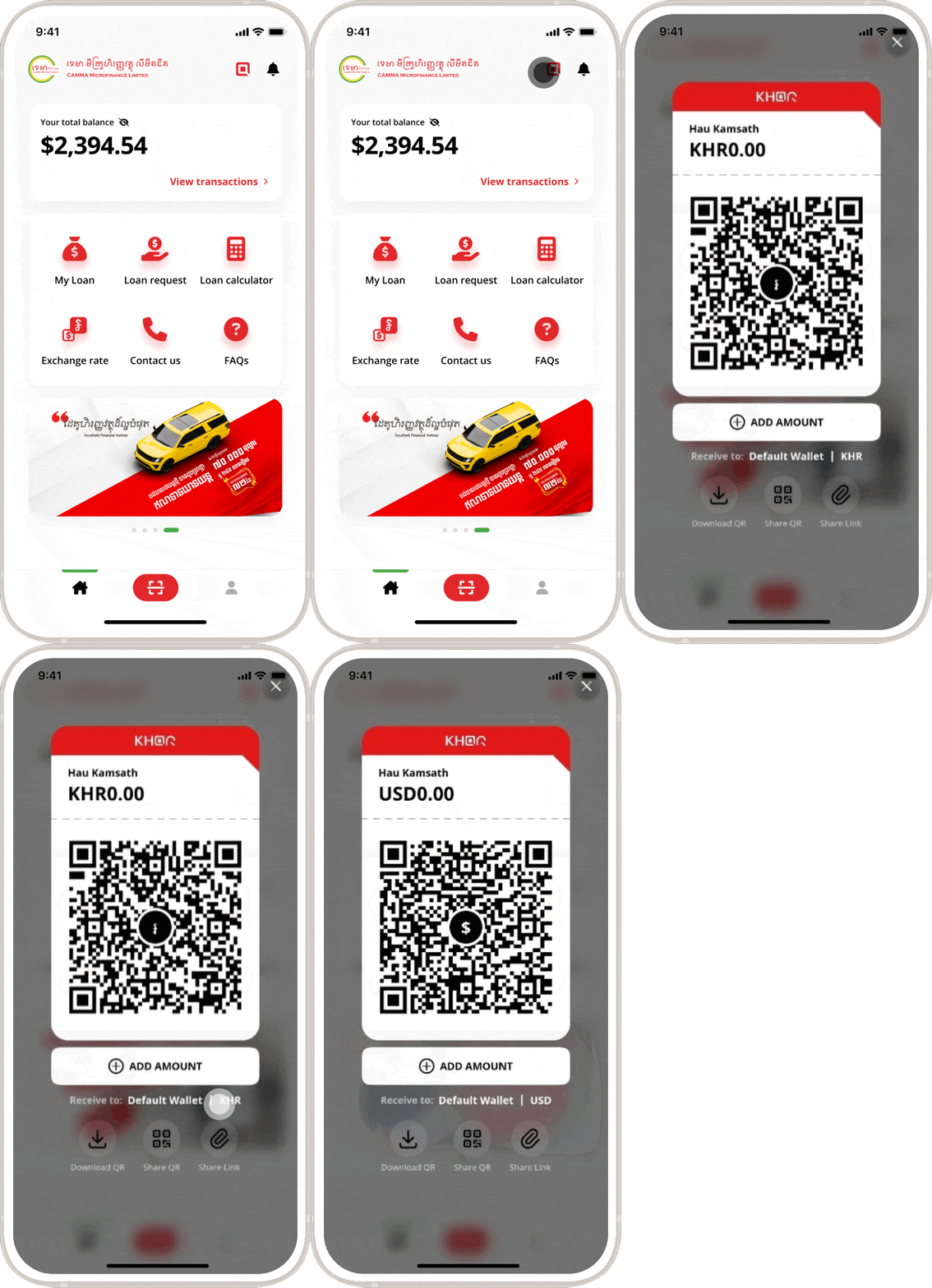
Launch CAMMA Mobile app
Tap on the KHQR button (the round red icon at the top right)
To change your wallet currency, tap “Default Wallet”
To receive payment, show your KHQR on the mobile screen, share it as a link via messenger apps, or even print it out if you need to get transfers often.