How to upgrade your account on CAMMA Mobile
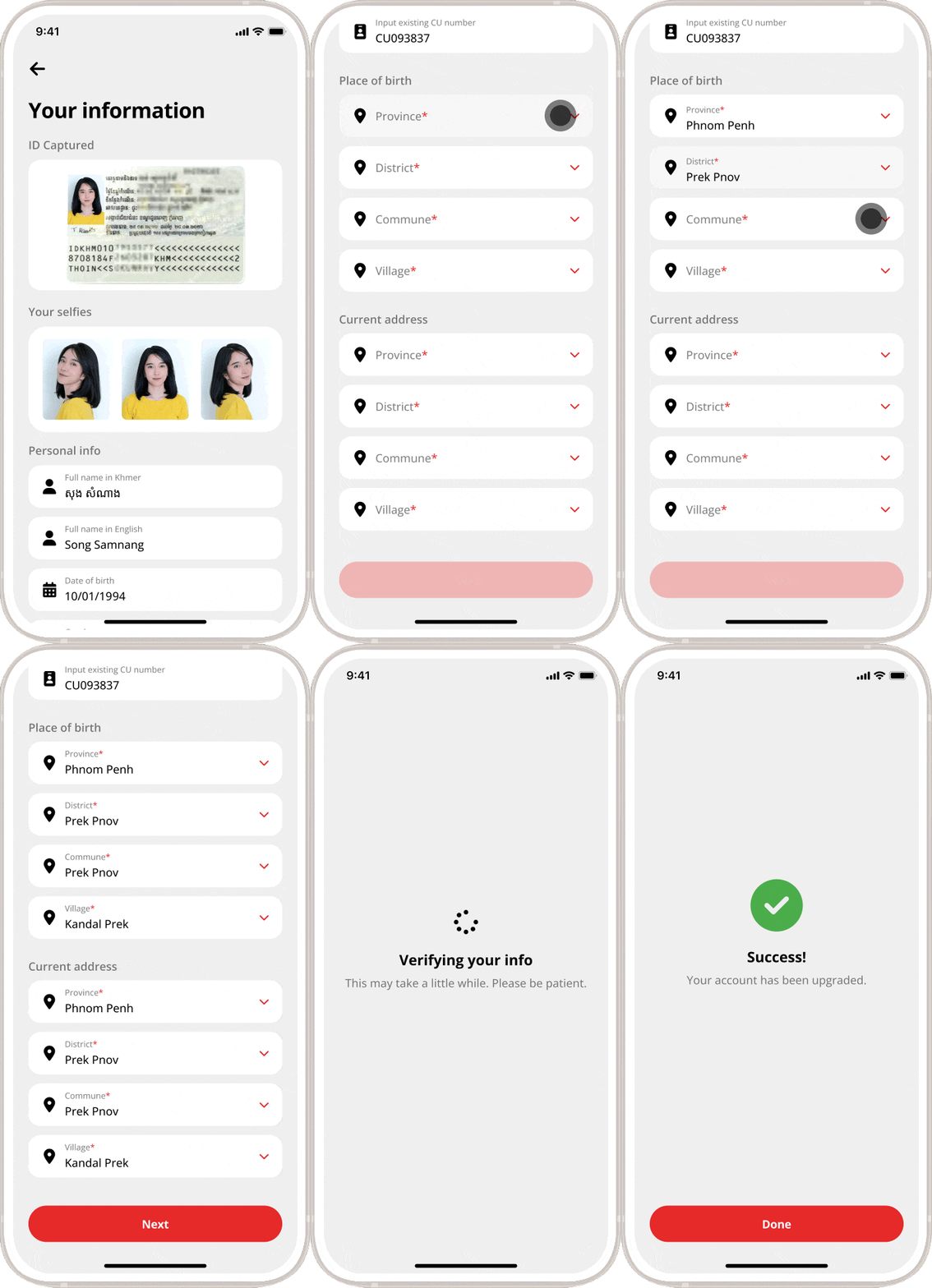
Instructions
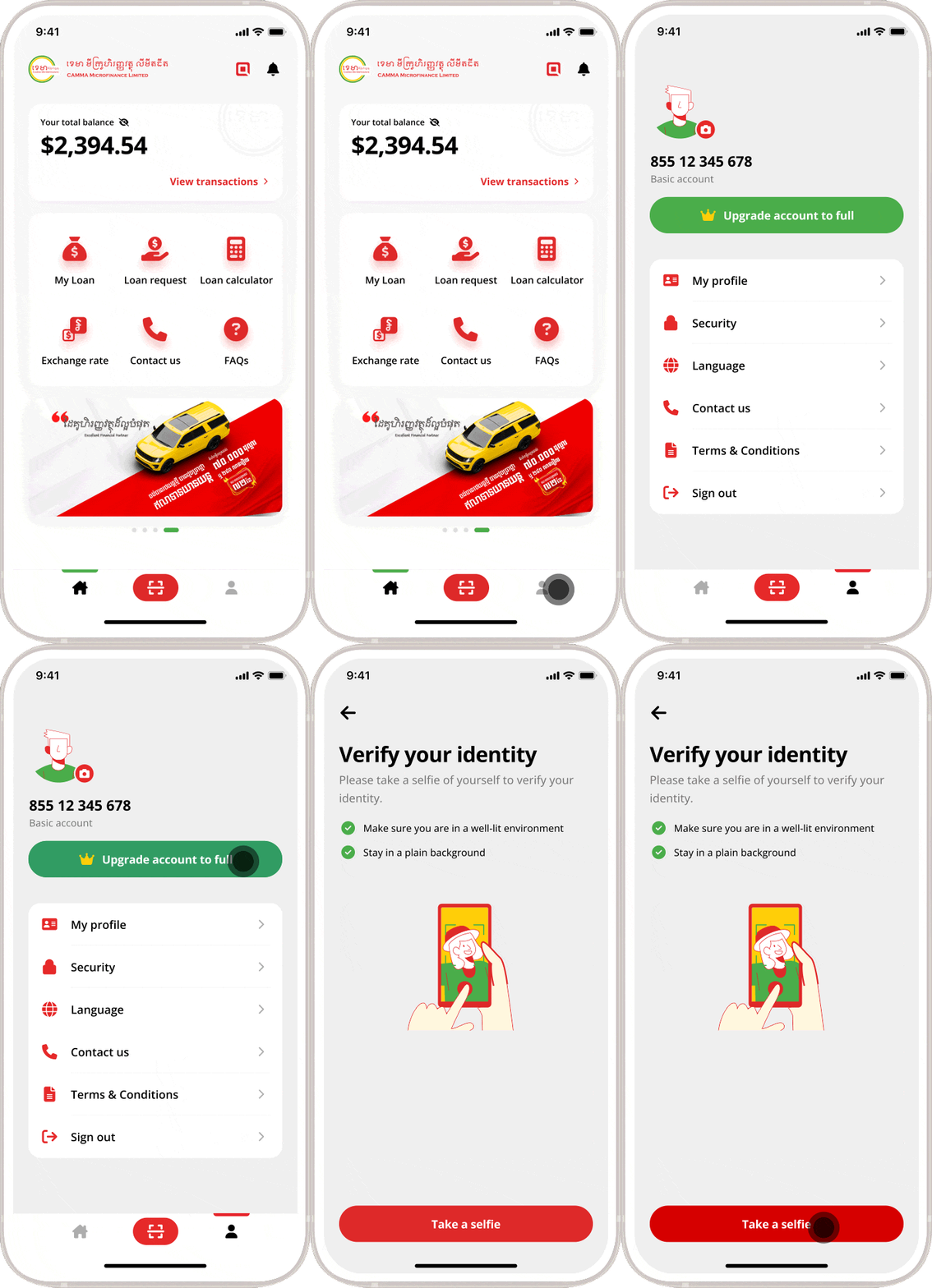
- Launch CAMMA Mobile app
- Tap “Profile” icon
- Tap “Upgrade account to full”
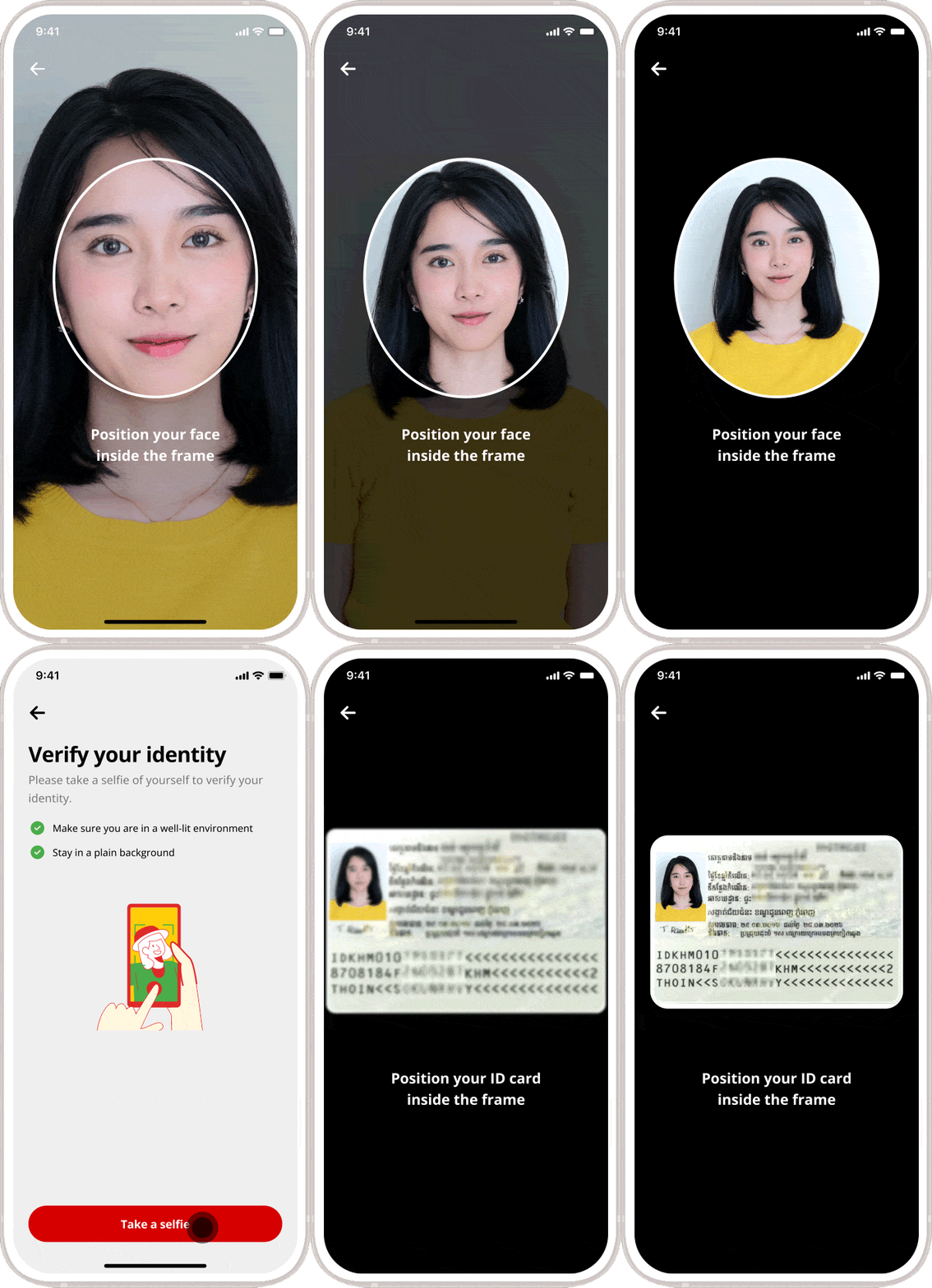
- Tap “Take a selfie” to take your photo
- Tap “Capture ID Card” to take photo of your National ID Card
- Choose “New user” if you are new use. Otherwise, choose “Existing user” and input existing CU number
- Enter your place of birth and current address
- Tap “Next”
- Tap “Done”.
Frequently Asked Questions (FAQs)
Client must be aged from 18 to 65 and have regular enough income to repay the loan.
To apply for a loan, you are required to:
- Be a majority aged 18 to 65 years old
- Have or no have property as collateral
- Ability to repay the loan
- Official documents: identification card, family book, residence book, or valid copy of official documents
- Income documents: salary verification letter or pay slip, or last three months bank statement (for Digital Unsecured Loan)
- Be a permanent resident within CAMMA’s operational areas.
CAMMA needs to access information on your phone to expedite the loan processing. Your information will be protected by our high-class technology. Your information is for loan request purposes only.
We use the latest technology to protect all your information. Your information is safe and for loan processing purposes only.